
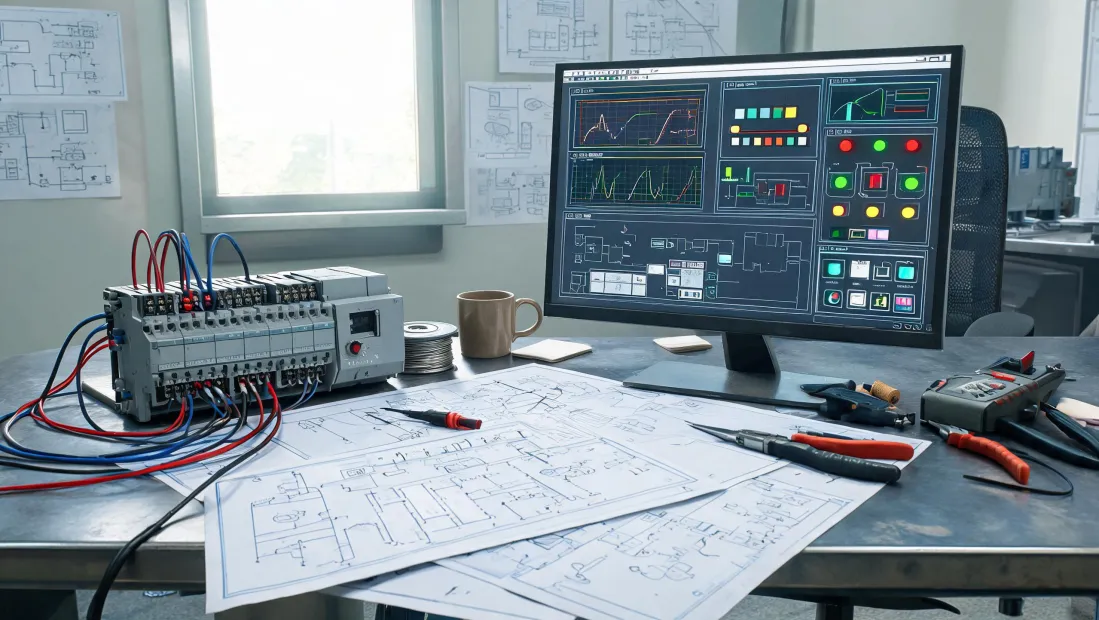
Friday, 3:12 p.m. A plant engineer calls. The panel protecting a packaging line just went dark, and the maintenance manager is standing three feet away waiting for a solution. He says he needs an Omron PLC and a relay on a truck by Monday morning. He expects the hard part to be getting the parts there overnight. It isn’t. The hard part starts with one question: “Do you still have the old part number?”
I’ve spent most of my career on the other side of that call. In my role coordinating urgent control-component replacements, I’ve handled more than 200 rush orders in the last three years. The pattern is consistent: if an order goes sideways, the courier is rarely the reason. The reason is usually a gap between what the buyer requested and what the machine actually needs.
The part number that wasn’t quite right
People assume an emergency call is about speed. Speed matters, but the real issue is whether the request contains enough truth for someone to act on it. In a hurry, Omron PLC gets tossed around like it’s a single part number. It’s not. It’s a brand, a family tree, and sometimes a trap.
An Omron PLC catalog is broader than most buyers remember: compact CP controllers, modular CJ/CS systems, NJ/NX machine controllers, safety PLCs, plus dozens of I/O and communications options. With that range, the difference between a replacement that drops in and one that looks like it should drop in is often just a few characters on the side label. Input type, output type, power supply, hardware revision, or firmware compatibility can all turn a “same” module into a paperweight.
I remember a March 2024 request where the customer asked for a specific PLC family with 6 MHz pulse output. He was reasonably sure that was enough. We asked him to photograph the label before committing. Good thing we did: the existing unit was an older hardware revision in the same family, and the current revision used a different wiring convention. One photo saved a line from another week of downtime.
It’s tempting to think that a PLC catalog tells you everything. It tells you what exists in the current range, not what your existing machine contains and not what its firmware expects. The best controller supplier I know treats a catalog as a starting point, not an answer.
Omron PLC news doesn’t know your panel exists
Product news has a purpose. It tells machine builders what can be designed into tomorrow’s equipment. But Omron PLC news is mostly forward-looking, and an urgent replacement is a backward-looking job. When a controller is redesigned, pinouts change, software revisions advance, and older CPUs move through end-of-life notifications that almost nobody reads until the machine stops.
That doesn’t mean old technology is bad. It means the replacement has to fit not only the electrical spec but also the installed program, the existing I/O wiring, and sometimes the safety rating that was valid when the line was commissioned. The latest Omron PLC news won’t tell you that your older code was built around a module that no longer uses the same memory mapping.
This is where the role of a controller supplier gets more important. A supplier that only searches a spreadsheet for SKU numbers can quote you something in one minute. It can still be the wrong something. A supplier that asks a few pointed questions before quoting might slow you down for two minutes. The second supplier is usually the one whose boxes don’t come back.
The relay specification guide problem
Now the component that looks too simple to be a problem: the relay.
A relay specification guide will tell you coil voltage, contact rating, electrical life, operating temperature, and maybe a mechanical life curve. That’s all useful. But it’s not enough to guess from a part family. Two relays with the same coil voltage and the same contact rating can have different contact materials, coil consumption, release time, or surge handling. In an emergency, those differences are exactly what causes a second failure.
What I see most often is someone selecting a relay based on the two numbers that are easiest to read: coil voltage and continuous current. The guide says 5 A at 250 VAC, so the buyer says it’s fine. But the load is inductive. The inrush current is several times the steady-state current, and if the relay is switching DC, it has to interrupt a DC arc that never gets the natural zero crossing that AC enjoys. The DC contact rating on many relays is much lower than the AC rating.
A real relay specification guide lists those things separately. Many engineers don’t look further. The result is not usually an immediate catastrophic failure. It’s a relay that clicks but gets hot, welds after a few thousand cycles, or drops a machine in the middle of a production run. Those are the calls that come in at 3:00 p.m. on Friday.
The thermal curve is just as sneaky. A relay tested at a comfortable 23°C in a datasheet doesn’t behave the same when it is packed into a warm cabinet beside an Omron PLC, four other relays, and a small power supply. Contact ratings can derate in a real enclosure. A relay specification guide gives you the data, but only if you read past the bright front page.
I’m not picking on relays. The same logic applies to contactors, timers, VFDs, and PLC output modules. Parts are only “identical” when their specs are compared in the environment where they work.
What a mismatch really costs
Emergency freight gets the blame, but it’s usually the smaller number. The full cost includes the person waiting at the plant, the second service call when the wrong part reaches the panel, the lost production, and the quiet erosion of trust when the next order gets double-checked because someone remembers a wrong module.
I almost shipped one of those mismatches earlier this year. We had the right family, right voltage, right I/O count—and the wrong connector revision. A last-minute photo caught it. So glad we asked. It would have been a “works on paper, not in the panel” situation, and the customer would have been stuck over the weekend.
That kind of close call is why I’d rather receive a messy request with a photo than a polished request with only an incomplete part number. Ballpark answers work for budgeting. They don’t work for restoring a line that has to run on Monday.
Five minutes before you hit send
If you need help quickly, you don’t need to know every product detail. You need to give a knowledgeable specialist enough to start. I tell customers to do five things:
- Photograph the full nameplate of the PLC CPU or module. Include every line, even the unintelligible ones.
- Photograph the relay or contactor sleeve, and the printed coil voltage if visible.
- Note whether the relay is sitting in a socket or hardwired, and whether it is the only one or one of a bank.
- Mention how the machine uses the component: simple on/off, high-speed pulse output, safety-related action, or a controlled stop.
- Tell the supplier if the order is a true replacement for an existing panel, not a new design.
That’s not homework. It’s the fastest way to avoid the reorder-return-rush cycle. A good controller supplier will use those details to ask intelligent questions before sending anything.
Bottom line: an Omron PLC catalog is a great resource, and a relay specification guide is a great starting point. But neither one knows what’s in your control panel. The person on the other side of the phone can help only if you give them the evidence. In an emergency, one good photo is worth a hundred product pages.